Start from one name and follow it to the whole case
Put a name, an email or a phone number on the canvas. Bring in what you find and follow the connections. Then hand over a case graph your supervisor can check, link by link.
Pro is $36 a month. Or start free for practice and evaluation.
How a case comes together
One lead, four steps, one case graph
Example case
Step 1 · The first lead
Put what you know on the canvas
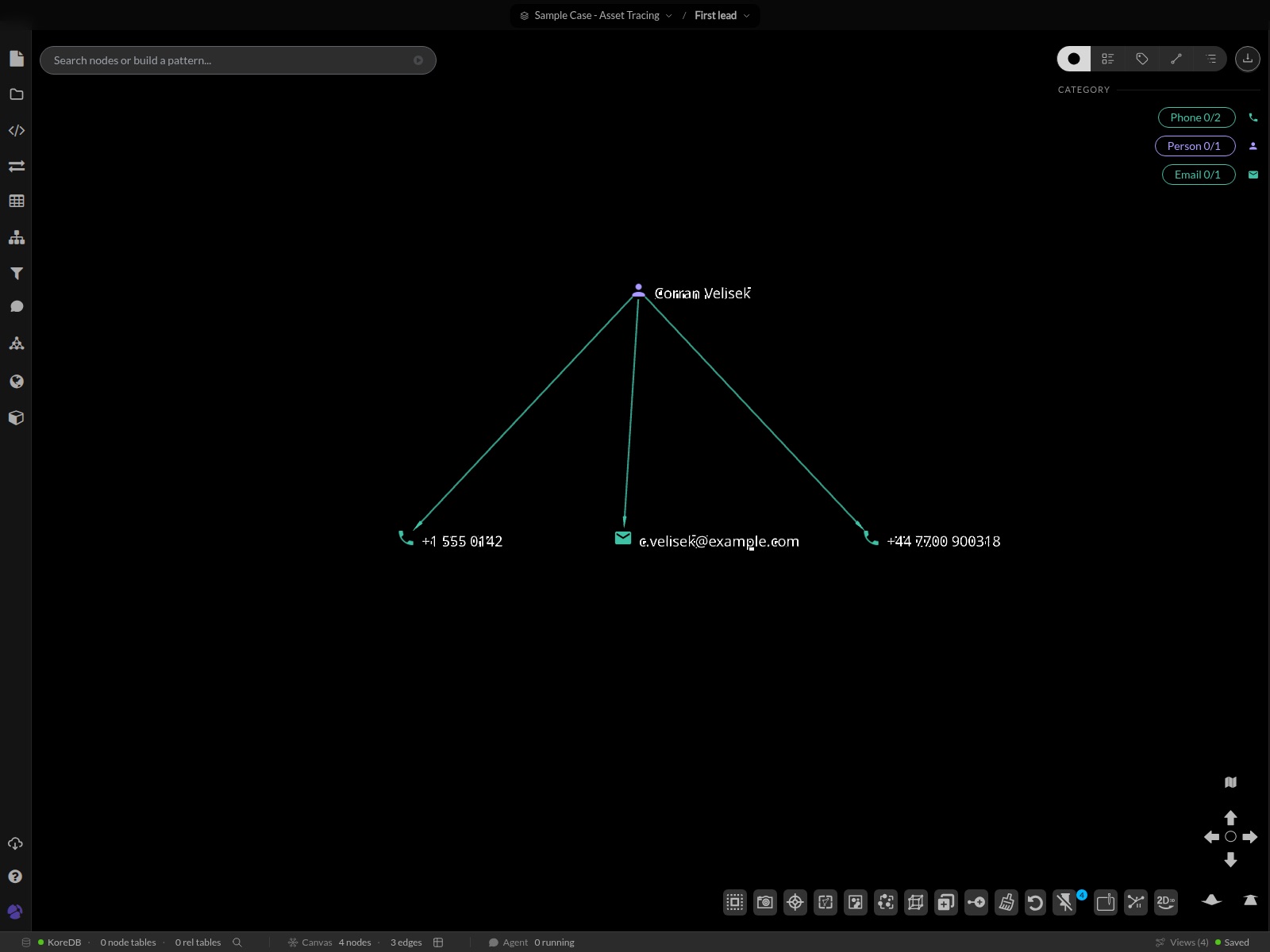
You have a subject’s name, an email address and two phone numbers. Each selector goes on the canvas, ready to expand.
Step 2 · The connections
Bring in what you find and see how it joins up
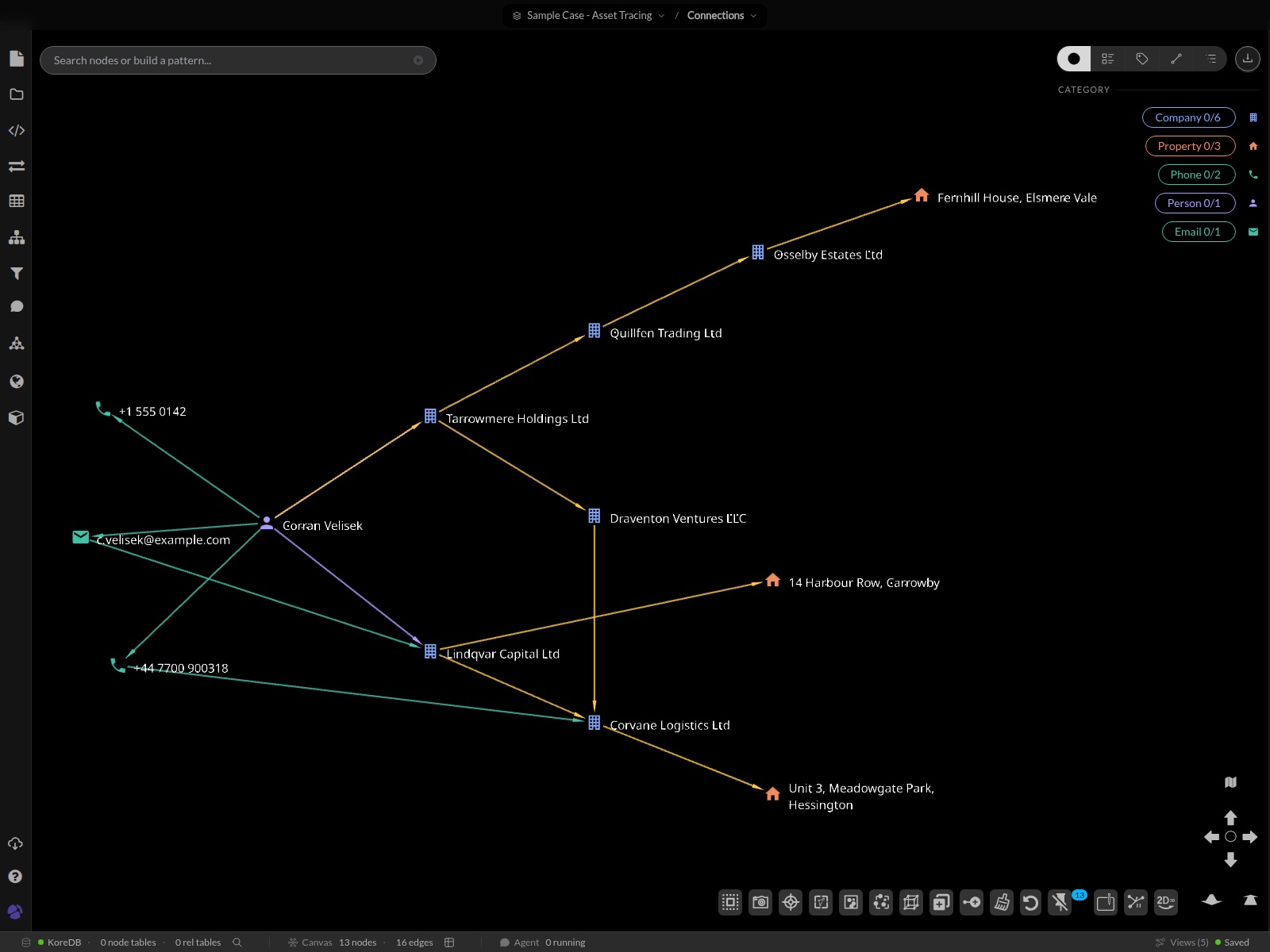
Load the company registry extracts, property records and phone data your unit already holds. The subject now links, directly or through other companies, to six companies and three properties. Expand the links that matter and set the rest aside.
Step 3 · Time and place
See what happened, in order, and where
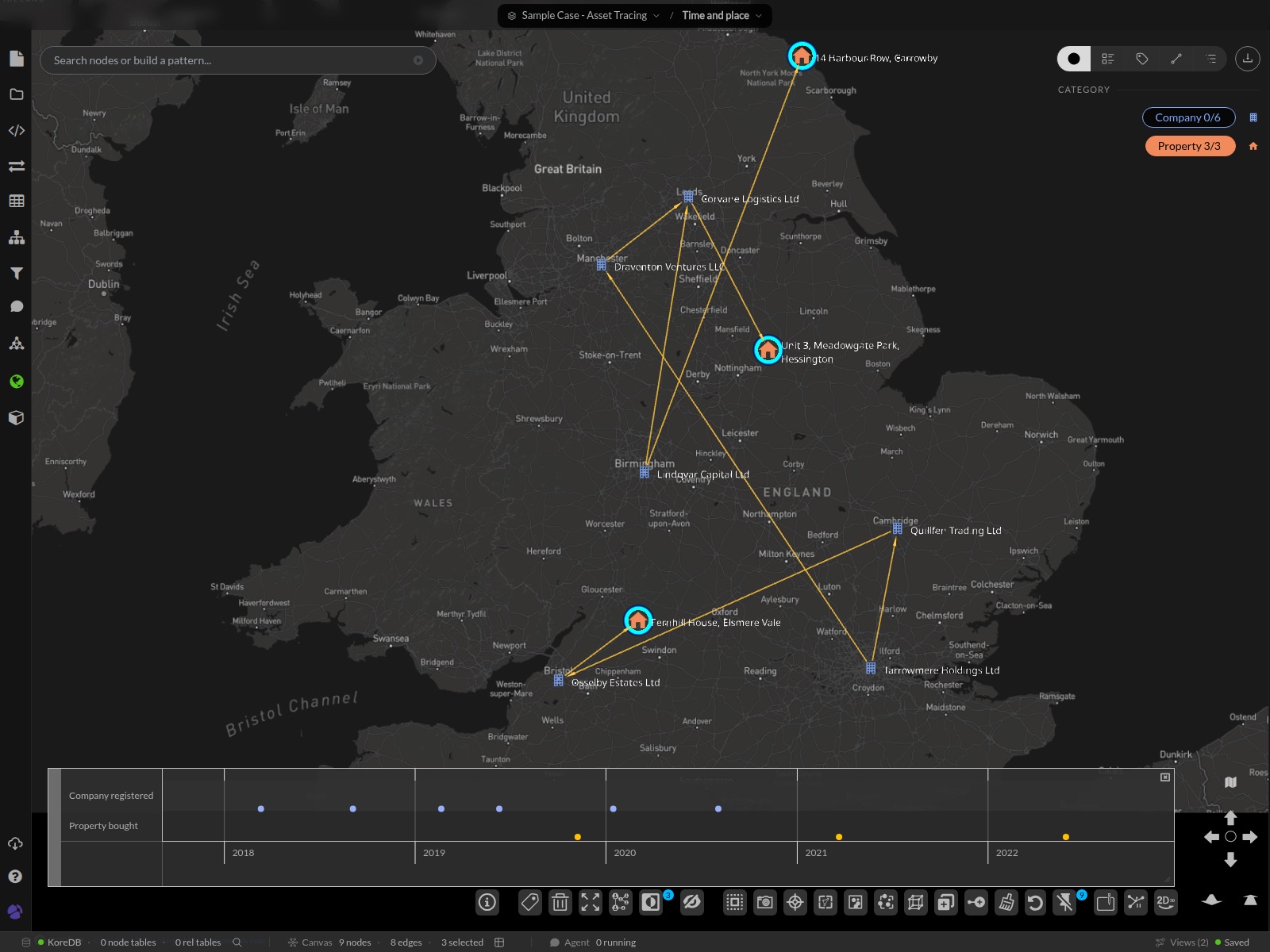
Play the case on a timeline to see which company was set up first and when each property changed hands. Put it on a map to see where the companies and properties are. Ask Kineviz Agent “What links the subject to the third property?” and it traces the path on the canvas.
Step 4 · The handover
Hand over a case someone else can check
Build a case report from the graph. It sets out who, what and when, and each finding lists the records it rests on. Hand over the report with the case graph. Questions? Someone can check your reasoning without redoing the entire investigation.
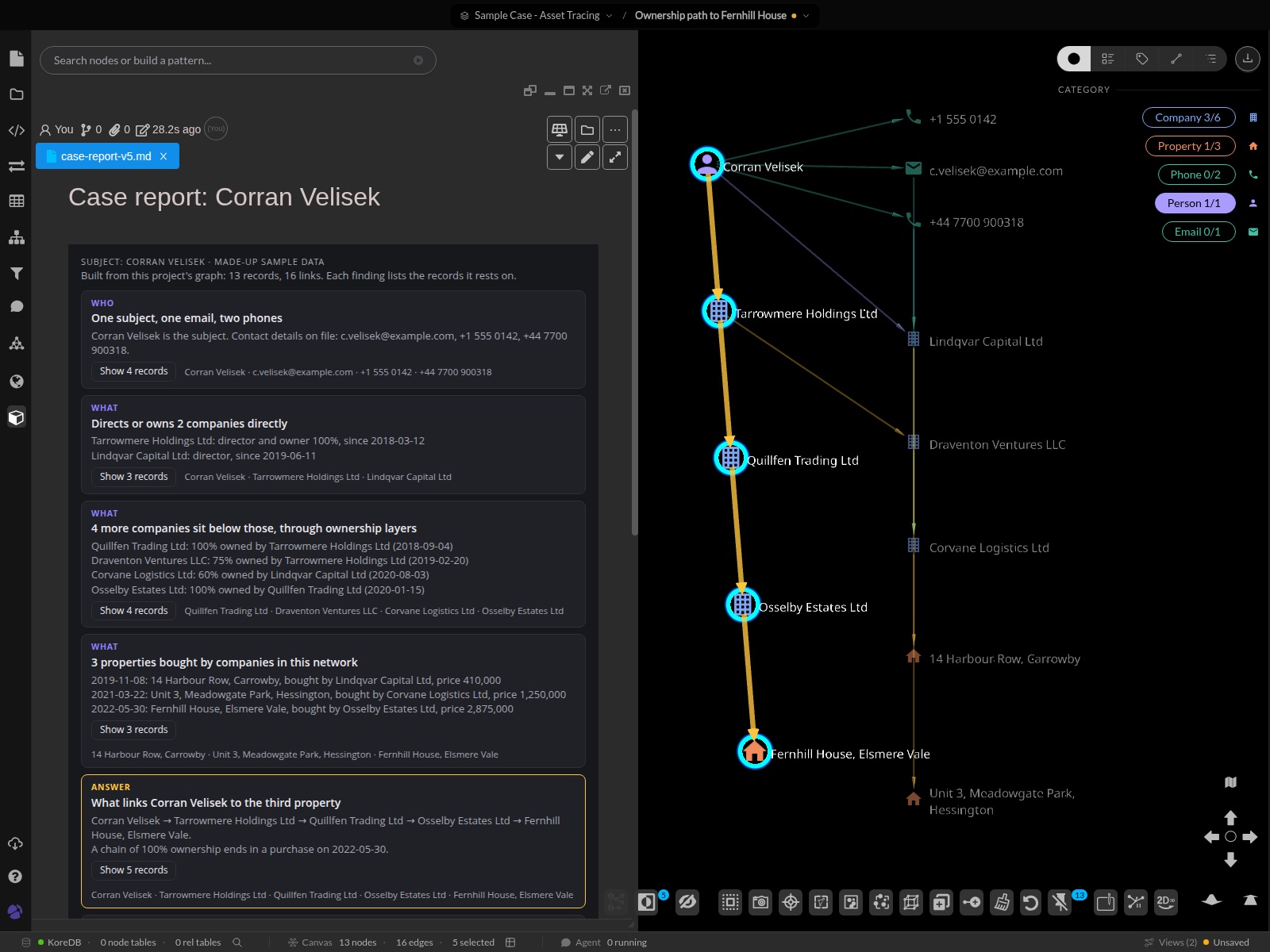
The handover
A case that can be checked, link by link
Kineviz is built so that handing over a case is the easy part. Kineviz Agent records every step it takes, and every finding links to the records that support it.
So each conclusion in your case report carries its own evidence. A supervisor, an auditor or a court can follow the trail from the conclusion back to the source data, without redoing your work.
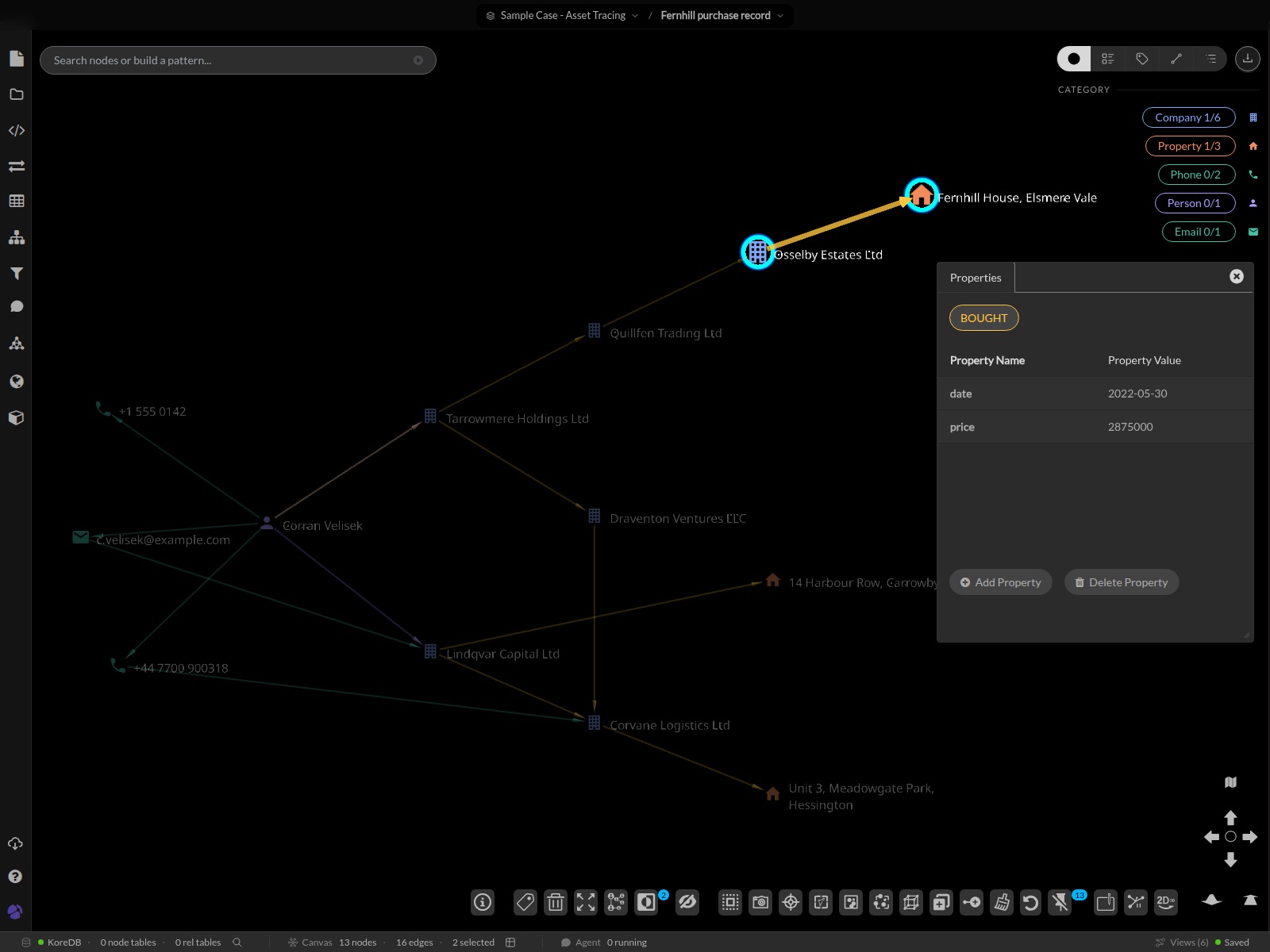
Your data can stay inside your network. Kineviz Enterprise runs on your own servers or private cloud, including air-gapped networks, with single sign-on, row-level access and an audit log of who looked at what.
Kineviz Agent’s AI model runs as a cloud service. Organizations that need the model on their own infrastructure can host it with Kineviz Enterprise.
Need to search open and commercial sources? OSINT-ready.
SeekerXR is a partner product built on Kineviz and sold separately. It adds open and commercial data sources, such as company registries and social media platforms, to your search.
Already work with an AI assistant?
With Kineviz MCP, the AI assistant you use can add what it finds to your case project, and you can check it on the canvas. Whatever the assistant reads goes to its AI provider, so follow your organization’s rules for case data.
Case studies
How investigation teams have used Kineviz

Disrupting an international crime network
A multinational justice organization investigated criminal syndicates that used a covert communications network to evade law enforcement.
Read the case study →
Mapping drug labs across time and place
Dutch police mapped the locations of seized illegal drug labs, and the dates they were seized, to see patterns of criminal activity.
Read the case study →
Deplatforming an extremist group
A law enforcement agency mapped an extremist group’s recruitment network so it could remove all the accounts at once.
Read the case study →Also from Kineviz
Getting started
Three ways to start
Practise the method
Individual
Free
- Learn the workflow, from first lead to case graph
- Timeline, map, path finding and pattern detection
- Ask Kineviz Agent questions in plain words
- For learning, evaluation and personal projects, not production work
- Community support
Work real cases on your own
Kineviz Pro
$36 a month
- Everything in Individual
- For production work, including your active cases
- Kineviz MCP, so your own AI assistant can add to a case
- Five times the usage of the free plan, for bigger cases
- Runs on Kineviz Cloud, with the agent’s AI model as a cloud service. Check your organization’s rules for case data first
- Upgrade takes effect at once; never locked in
Run it for a unit
Kineviz Enterprise
Custom
- Everything in Pro, with usage sized to the unit
- Case data stays on your servers, private cloud or an air-gapped network
- Host the AI model on your own infrastructure
- Single sign-on, with role-based and row-level access to control who sees which records
- An audit log of who looked at what
- Dedicated support and onboarding
SeekerXR’s open and commercial sources are sold separately. Compare plans in full →
Frequently Asked Questions
What is Kineviz for Investigations?
It is the Kineviz workspace set up for casework. You start from a selector, such as a name, email or phone number, bring in the records you hold, follow the connections on the canvas, and finish with a case graph that shows the timeline and the data behind each link.
Where does the data come from?
From you. You load the files, exports and records your unit already holds. To search open and commercial sources from inside Kineviz, add SeekerXR, a partner product sold separately.
What does Kineviz record about a finding?
Each finding Kineviz Agent makes links to the records that support it, so a reviewer can follow the trail from the conclusion back to the data. On Kineviz Enterprise, an audit log also records who looked at what.
Can we run it on our own infrastructure?
Yes. Kineviz Enterprise runs on your own servers or private cloud, including air-gapped networks, with single sign-on over SAML or OIDC, role-based and row-level access, and audit logging. On the standard plans, Kineviz Agent’s AI model runs as a cloud service; with Kineviz Enterprise you can host the model on your own infrastructure.
See a case come together
Buy Kineviz Pro and start today, or book a demo and we’ll walk your team through a sample case.
Or start free on sample data.